When groups arrive in the afternoon peak, lines form in the lobby and the wait becomes the hotel's first impression.
Over a minute of typing per guest
Copying names, passport numbers and dates of birth into the PMS by hand takes time and invites typos.
Paper cards and room keys
Printing and filing registration cards, preparing keys one by one: the small tasks keep adding up.
Before & After
The same check-in, transformed with AMUT
ItemBeforeAMUT
Passport entry1+ minute of typingAbout 3 seconds
PMS entryTyped field by fieldCopy or PMS Smart Input
Group check-inRepeated for each guestGroup scan mode
Registration cardPrinted and filedSigned on a tablet, stored digitally
Room keysIssued one by oneDispensed, collected and reused
Guest analyticsNot trackedNationality, age and hourly dashboard
Times are based on AMUT field operations and may vary by hotel.
Our Solution
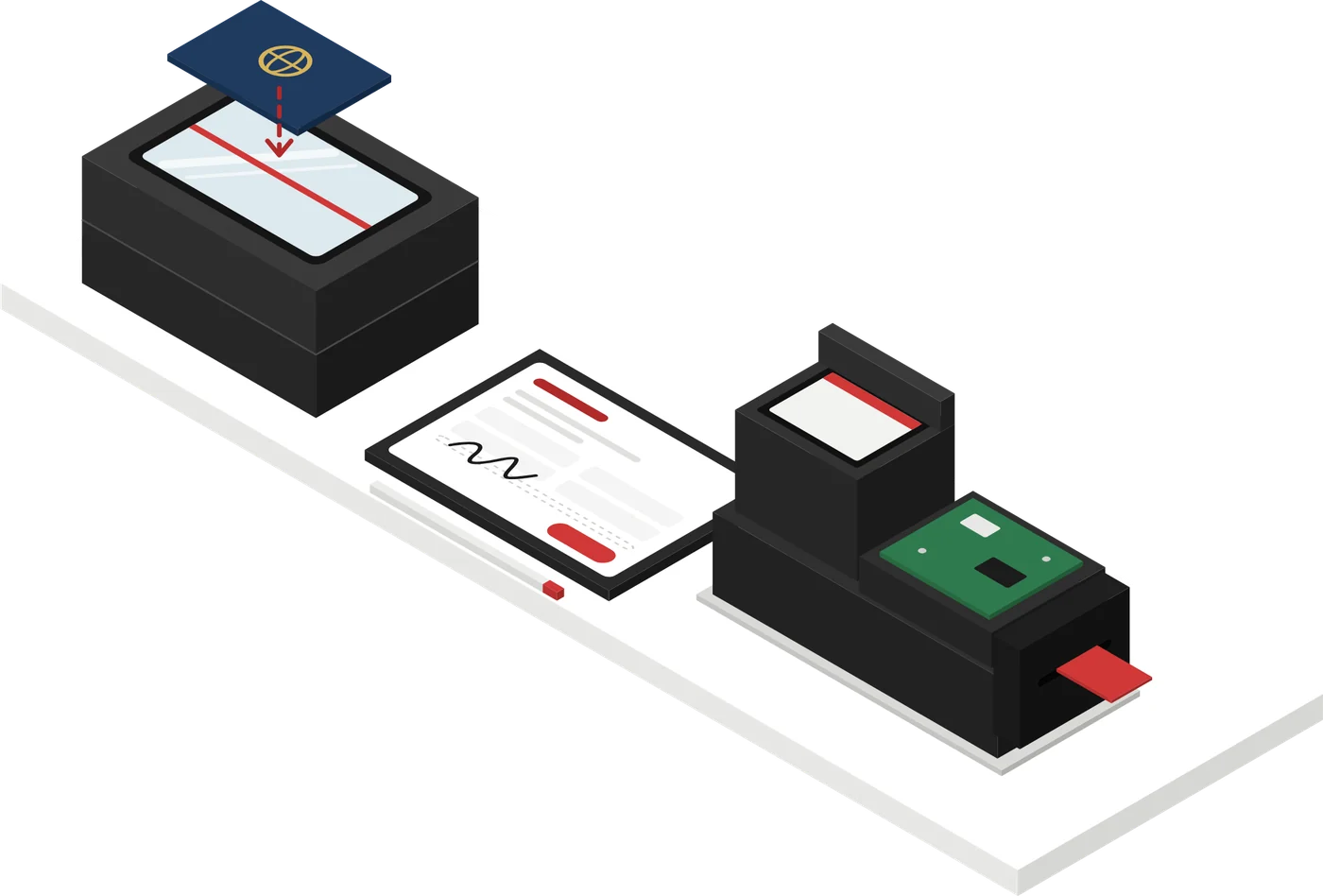
Scan, sign, get the key. Three products in check-in order
Each product works on its own. Together, every check-in becomes one smooth flow.
01Scan
AIS100 · AIS100 Pro
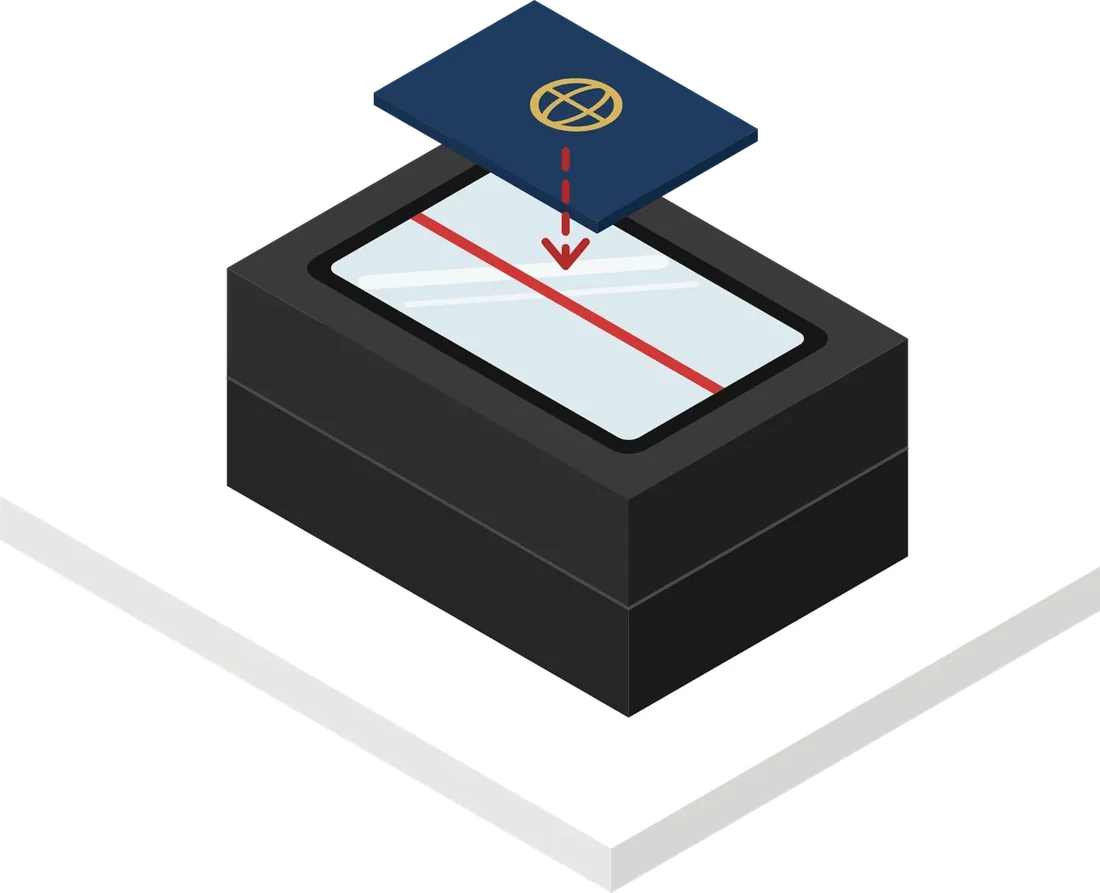
Passport scanner
Place the passport and it is read in about 3 seconds, with name, passport number, nationality and date of birth laid out on one screen.
Reading starts when the passport is placed, no buttons
Copy field by field, or fill your PMS with PMS Smart Input
Group scan mode for tour groups
02Sign
e-Registration Card
e-Registration card
The guest checks the pre-filled registration card and signs on the tablet.
Scanned details fill the card
Signed cards saved to your hotel system, no paper filing
Find past cards by guest name
03Key
Room Key Dispenser
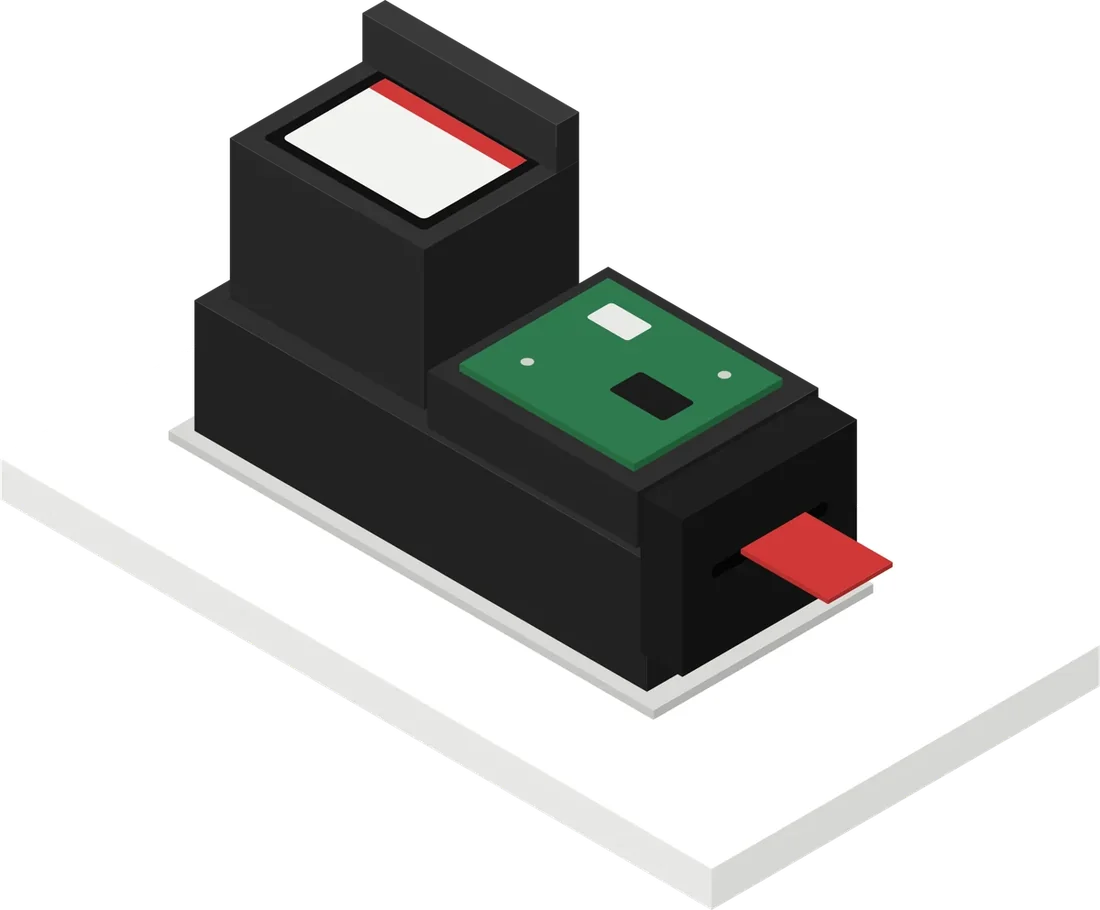
Room key dispenser
Room keys come out automatically at check-in, and returned keys are stacked and reused.
Automatic key card issuing
Keys collected at check-out are reused
Fewer lost and wasted keys
Extension
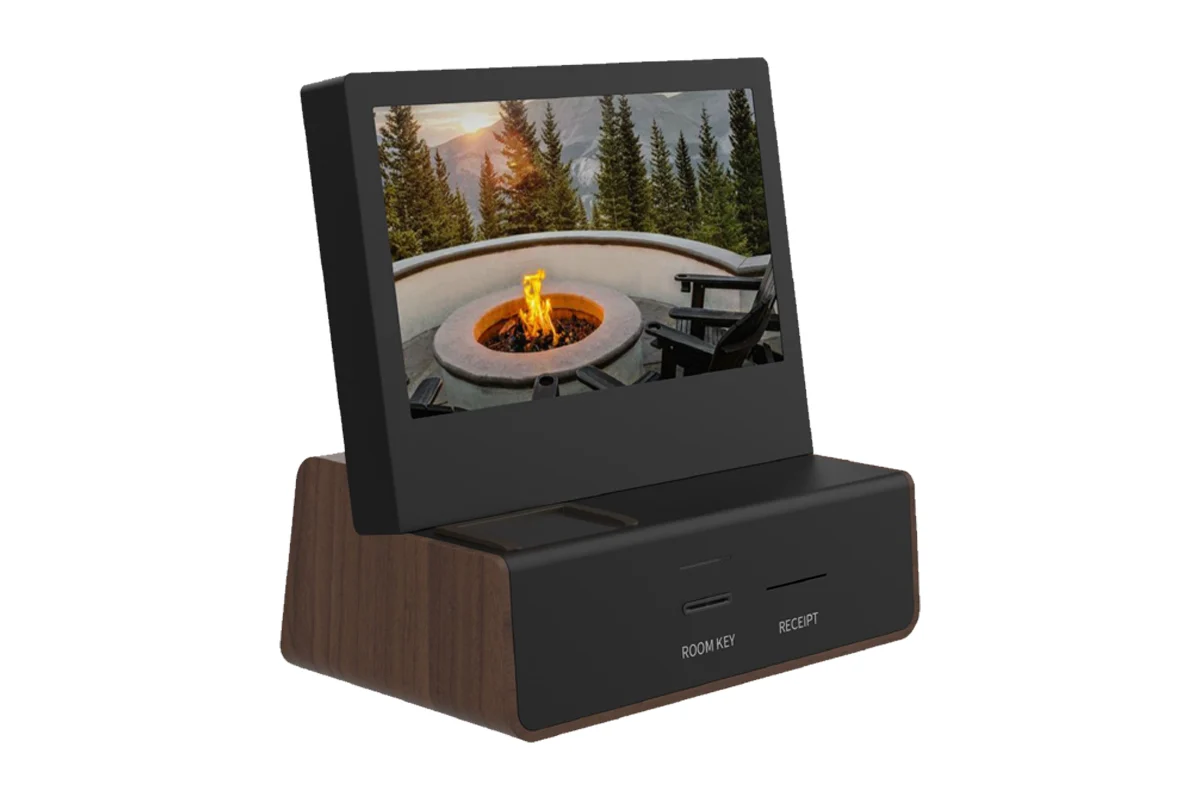
Self check-in without a front desk: hotel kiosk
A desktop kiosk with a passport window, a room key slot and a receipt printer in one unit. We configure the screens and functions together with your hotel.
More than a scanner. A tool that reads your hotel.
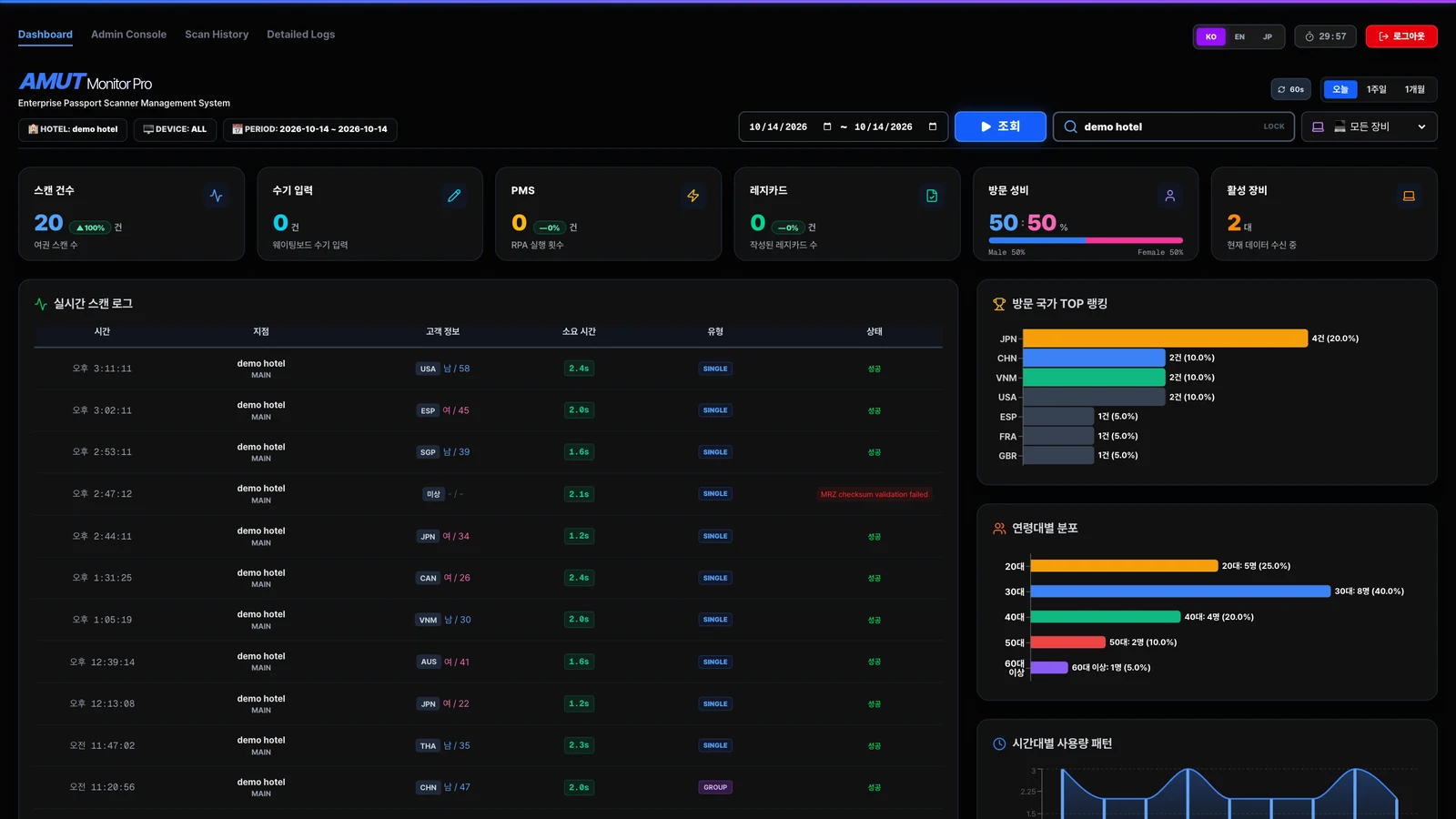
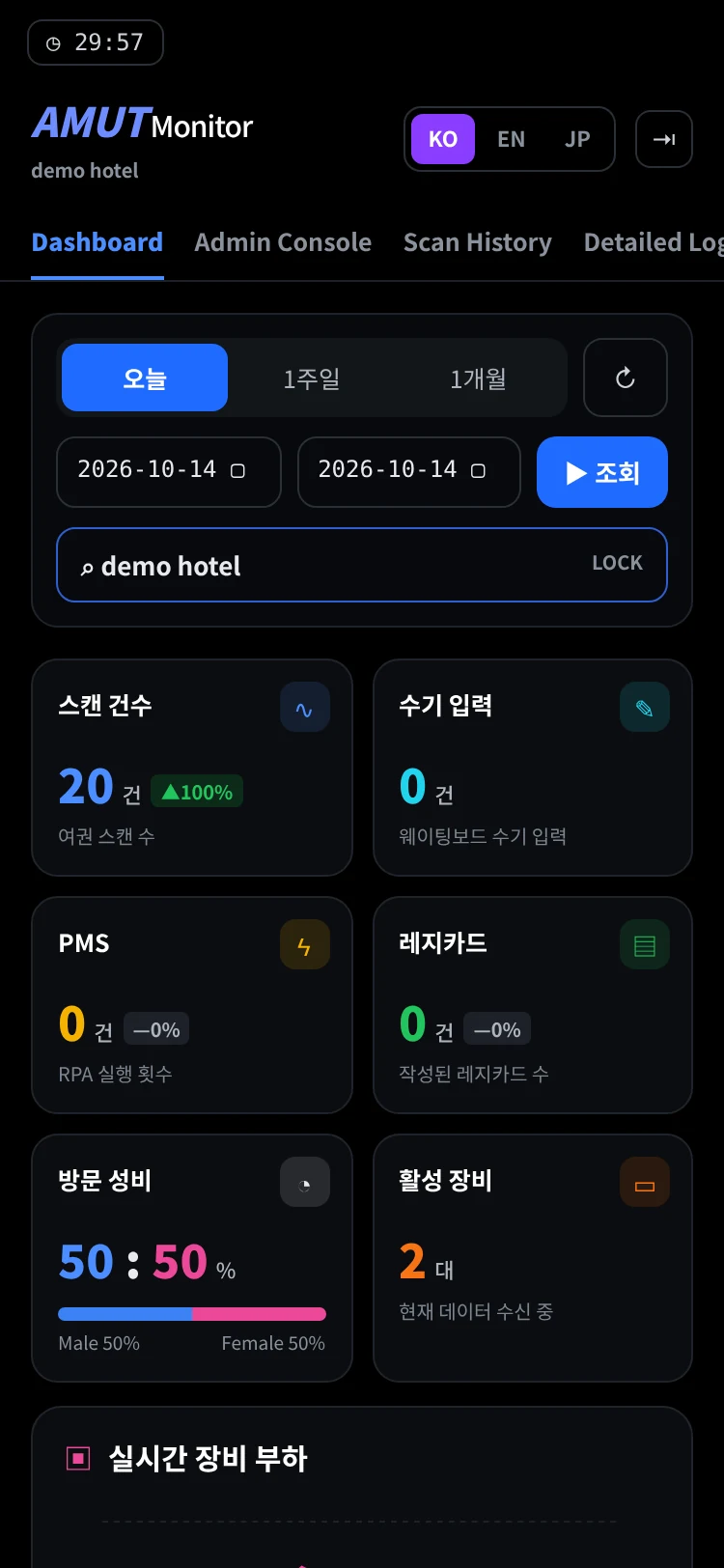
Every scan lands on a web dashboard. Check today's check-in flow from a PC or a phone.
Where your guests come fromRank visiting countries to plan multilingual service and marketing.
When the front desk gets busyUse hourly volume to schedule staff.
Whether devices are runningSee active devices and failed reads in real time.
amutdashboard.com
Screens made with demo hotel sample data.
Privacy & Security
Personal data stays with your hotel
Scanned passport data and images are stored on your hotel's PC and systems. Your hotel decides what is kept and for how long.
Stored inside your hotel
Passport images and read data are stored on the hotel PC and in your PMS.
Passport scan→Hotel PC→PMS
Your hotel sets the rules
Choose whether passport images are saved, how long they are kept, and whether face photos are saved separately.
Dashboard access is controlled
Monitor Pro shows statistics such as nationality, gender, age and time of day. Access is managed with staff accounts and menu permissions.
Onboarding
From demo to installation, we come to you
Step 1 · 30 min
Free on-site demo (Korea)
For hotels in Korea, we visit anywhere and show the whole process in 30 minutes.
Step 2
Consultation
We review your room count and PMS setup and decide the right configuration together.
Step 3 · about 4 weeks
Made in Korea, installed
Installed about 4 weeks after your order. On site we set the PMS input positions and align the camera.
Ongoing
Remote support and repair
Issues are handled remotely first. If a device fails, send it by courier and we repair and return it.
Outside Korea? On-site demos are available in Korea only. Email us at sales@amut.co.kr and tell us about your hotel.
FAQ
Frequently asked questions
Do we need to change our PMS?
No. Read data goes into your PMS by field-by-field copy, USB keyboard input or PMS Smart Input, whichever suits your hotel. AMUT runs today at hotels using OPERA and Sanha WINGS.
How does PMS Smart Input work?
During installation we map the input fields on your PMS screen once. After that, one button on the passport confirmation window fills surname, given names, passport number, nationality, date of birth and gender into those fields.
Does staff need training?
Hardly any. Apart from placing the passport on the scanner, check-in steps stay the same.
Can it handle groups?
Yes. In group scan mode, staff scan passports one after another and save them together after checking.
How long until installation?
About 4 weeks after your order. Every unit is built to order in Korea.
Contact
See it at your own front desk
Leave a request and our team will contact you. Free on-site demos are available for hotels in Korea; hotels elsewhere, please email us.
Free on-site demo in Korea
The whole process in 30 minutes
The right PMS input method for your hotel
sales@amut.co.kr
Suite 407, Apollo Town, 14 LS-ro 182beon-gil, Gunpo-si, Gyeonggi-do, Korea
Request received
Our team will contact you shortly. For anything urgent, email sales@amut.co.kr.
Your request is ready to send
It could not be sent from this page. Copy the text below and email it to sales@amut.co.kr.